SQL Server environments are complex ecosystems where even the smallest discrepancy can lead to catastrophic failures. A mismatched table structure between development and production can derail an entire project, causing errors, performance bottlenecks, or data integrity issues that are hard to trace. For database professionals, ensuring schema consistency isn’t just a best practice—it’s a critical necessity.
Enter Schema Drift by Stedman Solutions, LLC, a game-changing tool designed to eliminate the guesswork from database comparisons. Whether you’re a DBA, developer, or part of a DevOps team, Schema Drift empowers you to detect and resolve table differences with unparalleled accuracy, saving hours of manual effort. Available as a standalone download or bundled with Database Health Monitor, it’s an essential asset for maintaining schema harmony across environments.
In this post, we’ll dive deep into how Schema Drift enables you to compare SQL Server database tables with precision, uncovering discrepancies that could otherwise go unnoticed until it’s too late. From missing columns to mismatched data types, we’ll show you how this tool transforms a tedious task into a streamlined process, ensuring your databases remain aligned and your deployments succeed.
In the world of SQL Server management, schema consistency is non-negotiable. A single missing column, altered data type, or forgotten index between development and production can cascade into failed deployments, data corruption, or mysterious performance issues. Yet, manually comparing database schemas across environments is time-consuming, error-prone, and frankly, a waste of your expertise.
That’s where Schema Drift from Stedman Solutions, LLC comes in—a powerful database comparison tool available as a stand alone download and included with Database Health Monitor. In this post, we’ll explore exactly how Schema Drift helps you compare two databases and pinpoint table differences with surgical precision.
What Is Schema Drift?
Schema Drift is a SQL Server schema comparison and synchronization tool developed by Steve Stedman and his team at Stedman Solutions, LLC. First released in 2015, it has become a trusted utility for DBAs, developers, and DevOps teams who need to ensure schema alignment across environments.
Key Fact: Schema Drift comes pre-installed with Database Health Monitor, Stedman’s flagship SQL Server monitoring and diagnostics platform.
It compares every aspect of your database schema:
- Tables (structure, columns, data types, defaults, nullability)
- Indexes (clustered, non-clustered, filtered)
- Constraints (PK, FK, CHECK, DEFAULT)
- Views, stored procedures, functions, triggers
- Users, roles, and permissions
But today, we’re laser-focused on tables—the backbone of your data model.
Why Table Differences Matter (And Why They’re So Hard to Catch)
Imagine this:
You deploy a new feature. The app works in dev, crashes in prod.
The culprit? AStatusIDcolumn isTINYINTin dev butINTin production.
Implicit conversion? Yes. Performance hit? Huge. Data truncation risk? Real.
Or worse: a new table AuditTrail exists in staging but never made it to production. Your compliance report just failed.
These are schema drift problems—and they happen all the time.
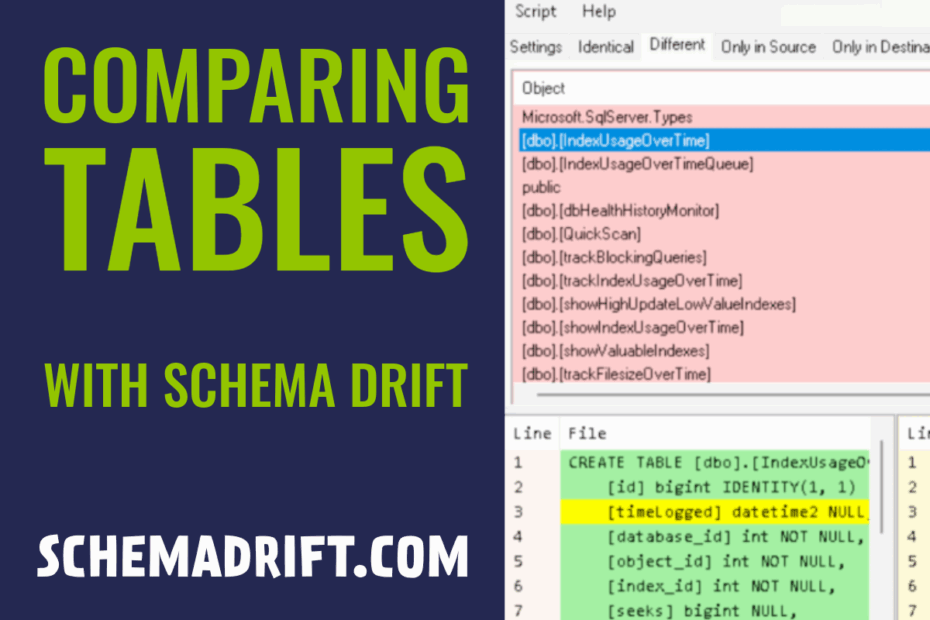
Schema Drift solves this by giving you a side-by-side, color-coded comparison of two databases, with table-level differences highlighted instantly.
How to Use Schema Drift to Compare Tables Between Two Databases
Let’s walk through a real-world example: comparing SalesDB_Dev (on DEV-SQL01) with SalesDB_Prod (on PROD-SQL02).
Step 1: SchemaDrift
- Launch SchemaDrift
Step 2: Connect to Source and Destination Databases
| Field | Example |
|---|---|
| Source Server | DEV-SQL01 |
| Source Database | SalesDB_Dev |
| Destination Server | PROD-SQL02 |
| Destination Database | SalesDB_Prod |
Authentication supports Windows or SQL Login.
Step 3: Configure Comparison Options
Click the checkboxes to customize what you want to compare:
TablesPrimary KeysForeign KeysIndexes

Step 4: Run the Comparison
Click Compare.
Schema Drift reads metadata only (no data scan), so it’s:
- Fast (seconds to minutes)
- Safe (read-only operation)
- Accurate (compares actual DDL definitions)
Step 5: Analyze Table Differences
Here’s what you’ll see:
Example Output: Table Differences
| Difference Type | Source (Dev) | Target (Prod) | Impact |
|---|---|---|---|
| Table Missing | OrderPromotions |
(missing) | Feature not deployed |
| Column Added | Orders.ShipMethodID (INT NULL) |
(missing) | Query will fail |
| Data Type Mismatch | Customers.Phone (VARCHAR(15)) |
VARCHAR(12) |
Truncation risk |
| Index Missing | IX_Orders_CustomerID |
(missing) | Slow queries |
| Default Constraint Diff | GETDATE() on CreatedOn |
GETUTCDATE() |
Timezone bugs |
Each difference is clickable—view full DDL side-by-side.
Step 6: Export & Act
- Export to Excel: Full report with tabs for Tables, Indexes, etc.
- Generate Sync Script: Auto-create
ALTER TABLE,CREATE INDEX, etc. - Migrate Objects: Push missing tables or fix structures directly
Real-World Use Cases
| Scenario | How Schema Drift Helps |
|---|---|
| Pre-Deployment Validation | Confirm dev matches staging before prod push |
| Drift Detection in Production | Catch unauthorized table changes |
| Database Migrations | Compare old vs. new instance during upgrades |
| Source Control Sync | Export schema to file, diff with Git |
Why Schema Drift Stands Out
| Feature | Schema Drift | Redgate SQL Compare | Visual Studio |
|---|---|---|---|
| Integrated in DHM | Yes | No | No |
| Table Diff Focus | Excellent | Yes | Basic |
| Export to Excel | Yes | Yes | No |
| Script Generation | Yes | Yes | Limited |
| Cross-Version Support | SQL 2008–2022+ | Yes | Yes |
Get Started with Schema Drift Today
- Open Schema Drift
- Compare your first two databases in under 5 minutes
Standalone Version Available: Need just the comparison tool? Get it at Download Schema Drift Comparison Tool
Final Thoughts on Schema Drift for SQL Server
Schema Drift isn’t just a comparison tool—it’s your early warning system for schema chaos.
By embedding it into Database Health Monitor, Stedman Solutions has made enterprise-grade schema governance accessible to everyone—from solo DBAs to global teams.
Stop guessing. Start knowing what’s different.
Your next deployment depends on it.
Have you caught a critical table difference with Schema Drift?
Share your story in the comments!
Download SchemaDrift today at https://schemadrift.com/schemadrift-download/ and it is also included in the Database Health Monitor program https://DatabaseHealth.com/download2. Download today and try it out. No commitment.
Summary: Schema Drift for SQL Server Table Comparison
- Schema Drift by Stedman Solutions, a SQL Server schema comparison tool
- Release in 2015 for DBAs, developers, and DevOps teams
- Focus on precise table structure comparisons across environments
- Identification of discrepancies like missing columns or data type mismatches
- Integration with Database Health Monitor as a bundled feature
- Capability for side-by-side, color-coded difference highlighting
- Support for exporting reports and generating synchronization scripts